

- Configure chat and calling features
- Apply theming and layout options
- Export React Native-ready code via QR code scanning
The Builder works with both bare React Native (CLI) and Expo projects. Because the CometChat React Native UI Kit relies on native modules, Expo apps must use a development build rather than Expo Go. See React Native CLI Integration and Expo Integration for the underlying UI Kit setup.
What You Can Configure
Toggle these features on or off directly in the UI Kit Builder. For a full reference of each setting, see UI Kit Builder Settings.Chat Features
Call Features
Layout
Theming
How to Use UI Kit Builder
1. Design
Configure your chat layout, toggle features, and pick a theme using the UI Kit Builder.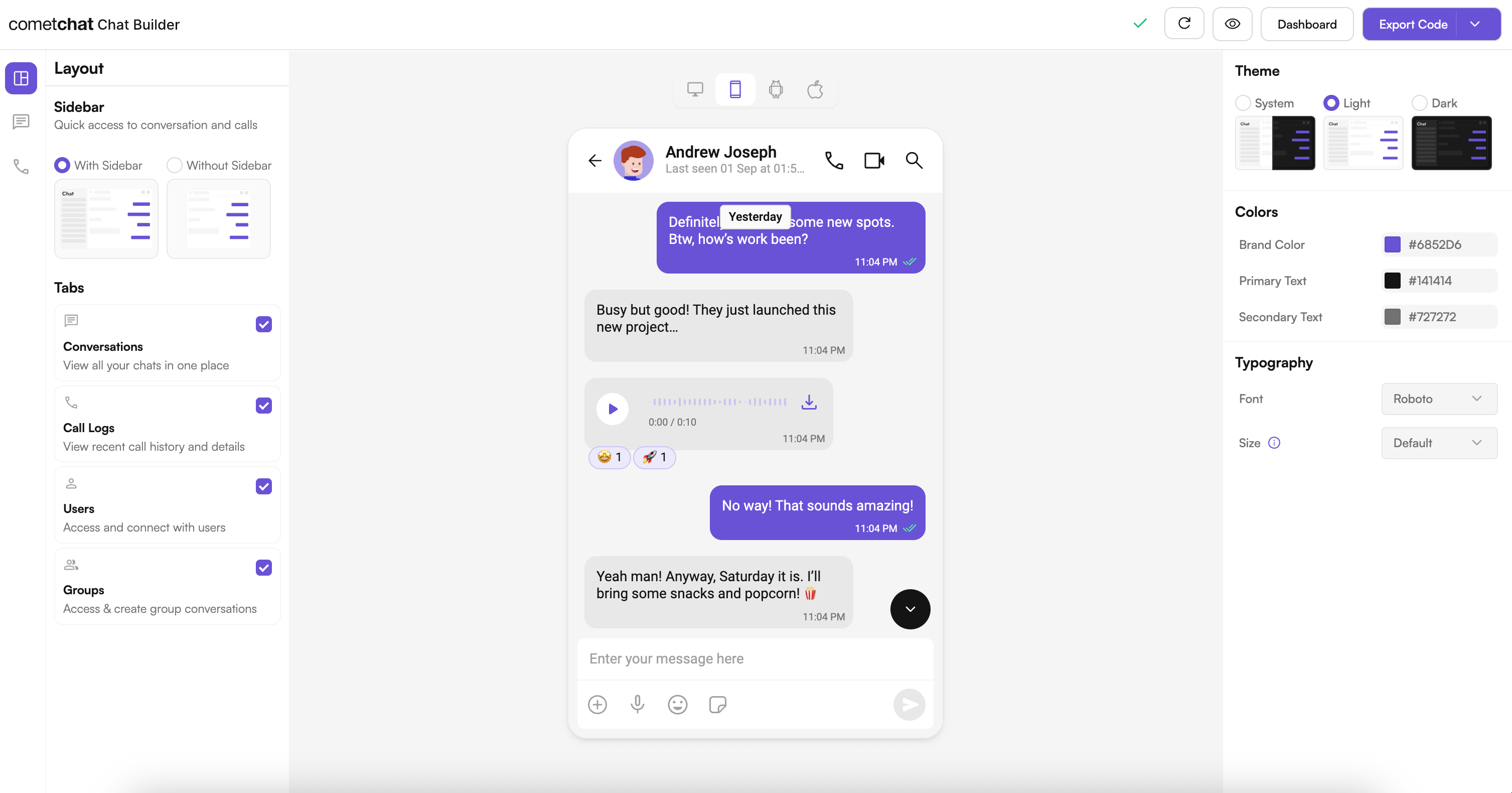
2. Export
Scan a QR code or export the configuration JSON to apply your settings to your React Native app.3. Integrate
Drop the configuration into your React Native project, add your CometChat credentials, and run the app. See the Integration Guide for full steps.Try It Locally
React Native Builder Source
Clone the sample, run it on iOS/Android, and experiment with QR-based configurations.
Next Steps
Integration
Step-by-step guide to integrate the UI Kit Builder.
Builder Settings
Understand the settings file and feature toggles.
Customizations
Adjust component props, behavior, and UI elements.
Directory Structure
See how the exported code is organized.
Customize Beyond the Builder
The Builder handles feature toggles, layout, and theme tokens. For deeper changes, use the UI Kit’s own customization layers:Message Templates
Custom message bubble rendering via
CometChatMessageTemplate.Component Styling
Per-component style and view-slot overrides.
Theming
Colors, typography, and dark mode via the theme provider.
Helpful Resources
React Native UI Kit Docs
Official UI Kit documentation with component APIs, theming, and guides.
Support Portal
Reach CometChat support for troubleshooting and production issues.
Community & Issues
File bugs, request features, or learn from community fixes.
Need Help?
- Developer Community: https://community.cometchat.com/
- Dashboard & Live Support: https://app.cometchat.com
- UI Kit questions: https://www.cometchat.com/docs/ui-kit/react-native/5.0/getting-started